 Great Generate
GreatGenerate technical utility
HTML Tags Extractor
Paste HTML to count its tags, inspect individual markup, review links and images, or extract readable text.
0
characters
Results
Ready to analyzePaste HTML and choose an action to see
results.
Online Free HTML Tags Extractor
by greatgenerate.com
What are the HTML and HTML tags?
- HTML is called Hypertext Markup Language. It is created to structure web pages.
- HTML tags define different parts of a webpage.
- Tags are written in (<>) angle brackets.
- Most tags have opening and closing forms, while some are empty tags.
- Attributes for tags can offer additional information.
- Attributes add extra information to tags, such as URLs and image sources.
- These are displaying the content accordingly.
What is the HTML Tags Extractor tool at www.greatgenerate.com?
The HTML Tags Extractor tool at Great Generate allows one to quickly isolate and analyze
the HTML code by filtering out specific tags to extract just the raw content text.
Online free HTML tag filter, extractor and analyzer tool. This is the HTML tags filter
tool to analyze and give the details of each specific tag’s information.
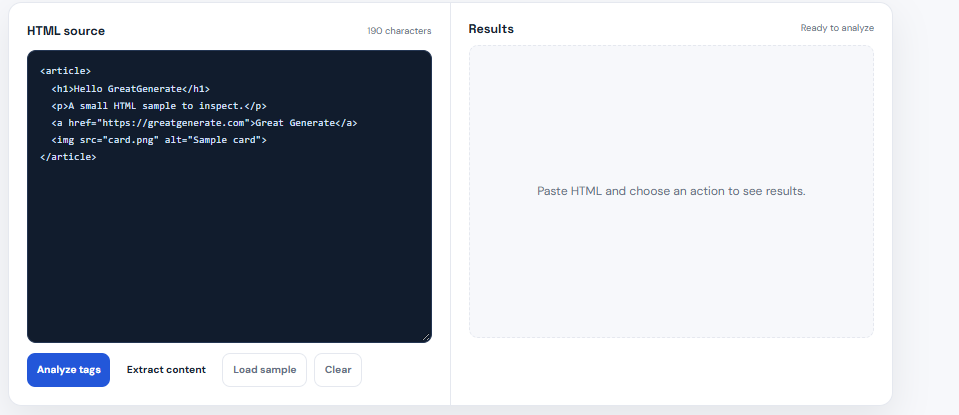
www.greatgenerate.com provides an HTML tag extractor. Just paste the valid HTML code and
get individual tag info.
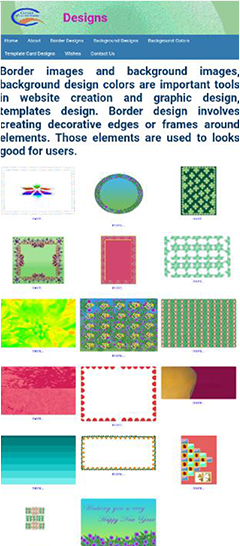
Example: How many HTML tags are in https://www.designs.greatgenerate.com at Great
Generate?
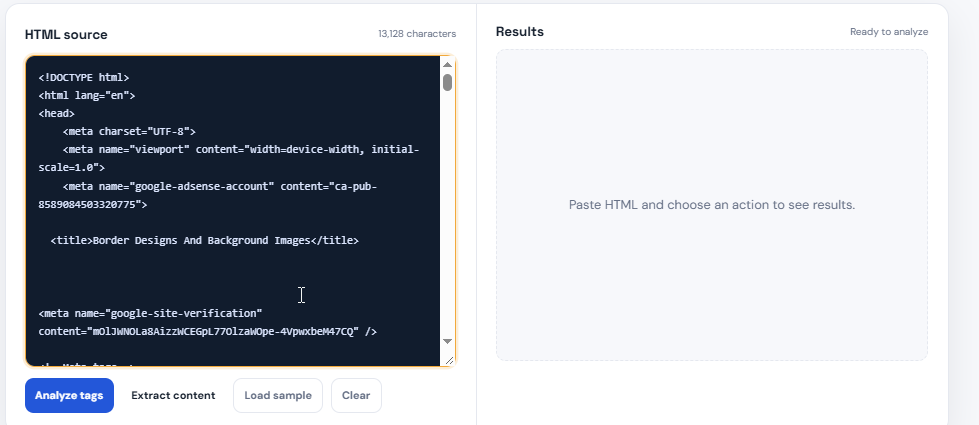
Paste the HTML code in the Add HTML Code option at HTML Tags Extractor to find out
how many tags are used in https://www.designs.greatgenerate.com.
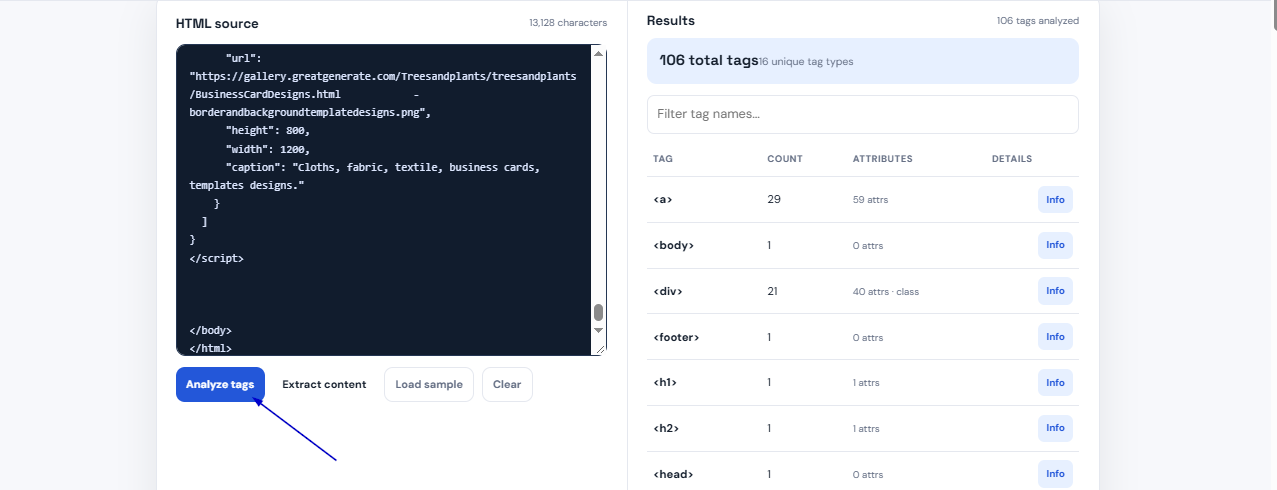
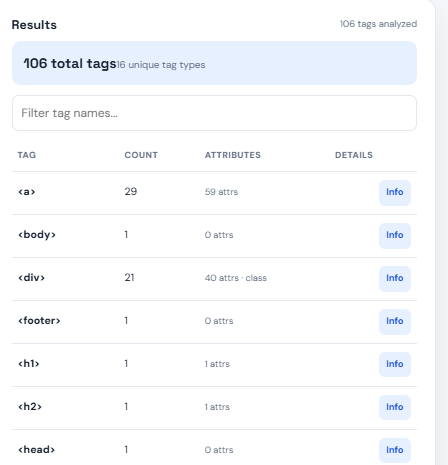
After executing the analysis tags option, showing the Total Tags Used: 106, the
following picture is shown below.
And also, individual tag information can be known.
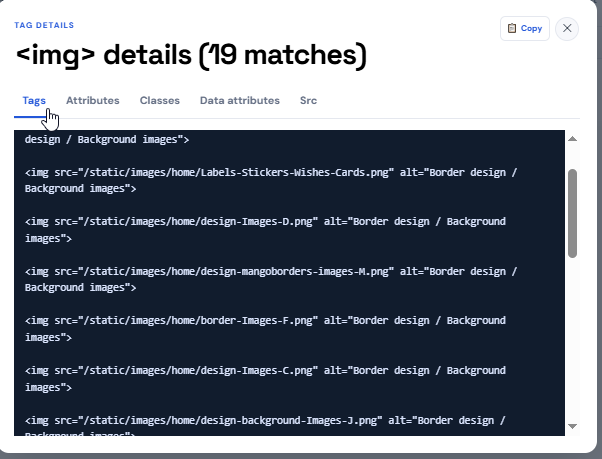
Example: See IMG tags in the image.
Eighteen images are in https://www.designs.greatgenerate.com at Great Generate.
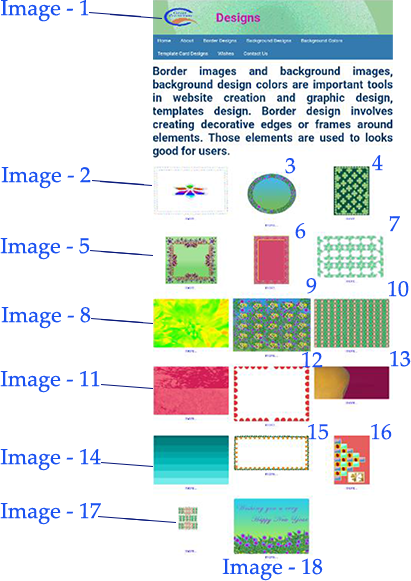
There are 18 images, but the HTML tag filter analyzed www.designs.greatgenerate.com,
which has 19 IMG tags. Click on the info button to see the information of IMG
tags:

Here is the empty image tag shown.
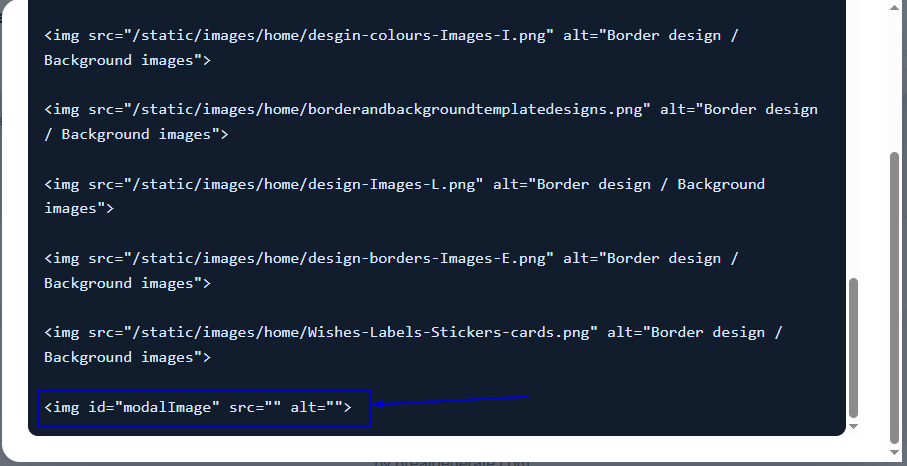
www.designs.greatgenerate.com has
18 images, but the HTML code has 19. 
This means there is one extra
empty tag
added, but the src option in HTML Tags Extractor shows 19 images including a empty src image tag, as seen in the
below image:
added, but the src option in HTML Tags Extractor shows 19 images including a empty src image tag, as seen in the
below image: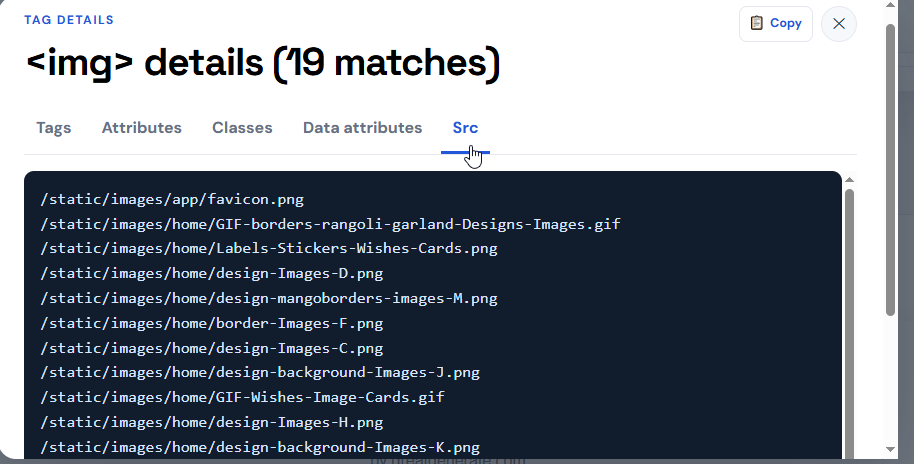
In this manner, it can be
identified by using the HTML tags extractor to know what kind of tags are added to
the HTML code, if the required HTML tags can be added or removed, and if the
remaining HTML tags contain info, and also check what exact or repeated tags are
there.

Is it possible to examine unprocessed program code?
Programming code can be checked before processing and unprocessed programming code
written by a developer before it is compiled, translated into machine language, or
optimized for the web. It displays exactly as pasted in “Add Html Code” at HTML Tags
Extractor, containing all original tags.
What is the essential role of an HTML tags extractor?
Essential Points of HTML Tags Extractor:
Tag Extraction:
Allows isolating HTML-specific tags, like  for links or for images, from
a block of code and lists all unique tags present.
for links or for images, from
a block of code and lists all unique tags present.
for links or for images, from
a block of code and lists all unique tags present.
Code Sanitization:
Useful for cleaning up messy code or removing unwanted attributes to leave only the
essential structure.
Frequency Count:
Provides a detailed breakdown of exactly how many times each specific tag appears.
Instant Analysis:
Parses data directly in the browser with no installation or backend processing required.
How can the HTML tags extractor be used to filter tags?
The HTML tag filter at Great Generate is free; it is easy to use. It is a web-based
utility that extracts, organizes, and analyzes specific HTML tags from raw code. It
allows you to quickly isolate and verify which elements are being used across a block of
markup without needing a text editor.
1. Navigate to the tool:
Open your browser and go to the
Great Generate HTML Tag Filter. It allows isolating HTML-specific tags, like for links or
for images,
from a block of code and lists all unique tags present.
for links or
for images,
from a block of code and lists all unique tags present.
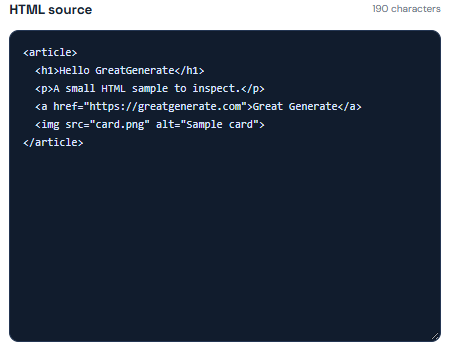
2. Input:
Paste HTML code or raw HTML text
into the designated text area.
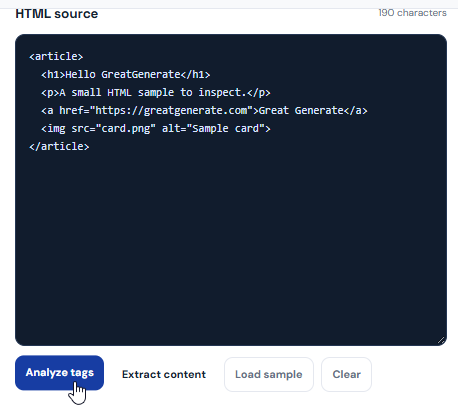
3. Filter:
Click the execution button to
instantly generate a list and summary of tags.
The tool will parse the data and
filter out the HTML markup, showing just the clean and readable text.
HTML Tags Extractor allows
developers to check repetitive tags and find the tags they can add or remove before
processing web development, and it explores specific HTML tags.
FAQs.
Simple guidance for analyzing HTML in browser.
Does the tool upload my HTML?
No. Analysis happens in the browser, and no account is required.
What can it inspect?
It inspects tag counts, full markup, text content, anchor tags, image sources, and total element count.
Can I extract only readable text?
Yes. Use Extract content to remove markup and return unique readable text from the pasted HTML.